Creating Extractions
Learn how to set up automated extractions.
Creating Extractions
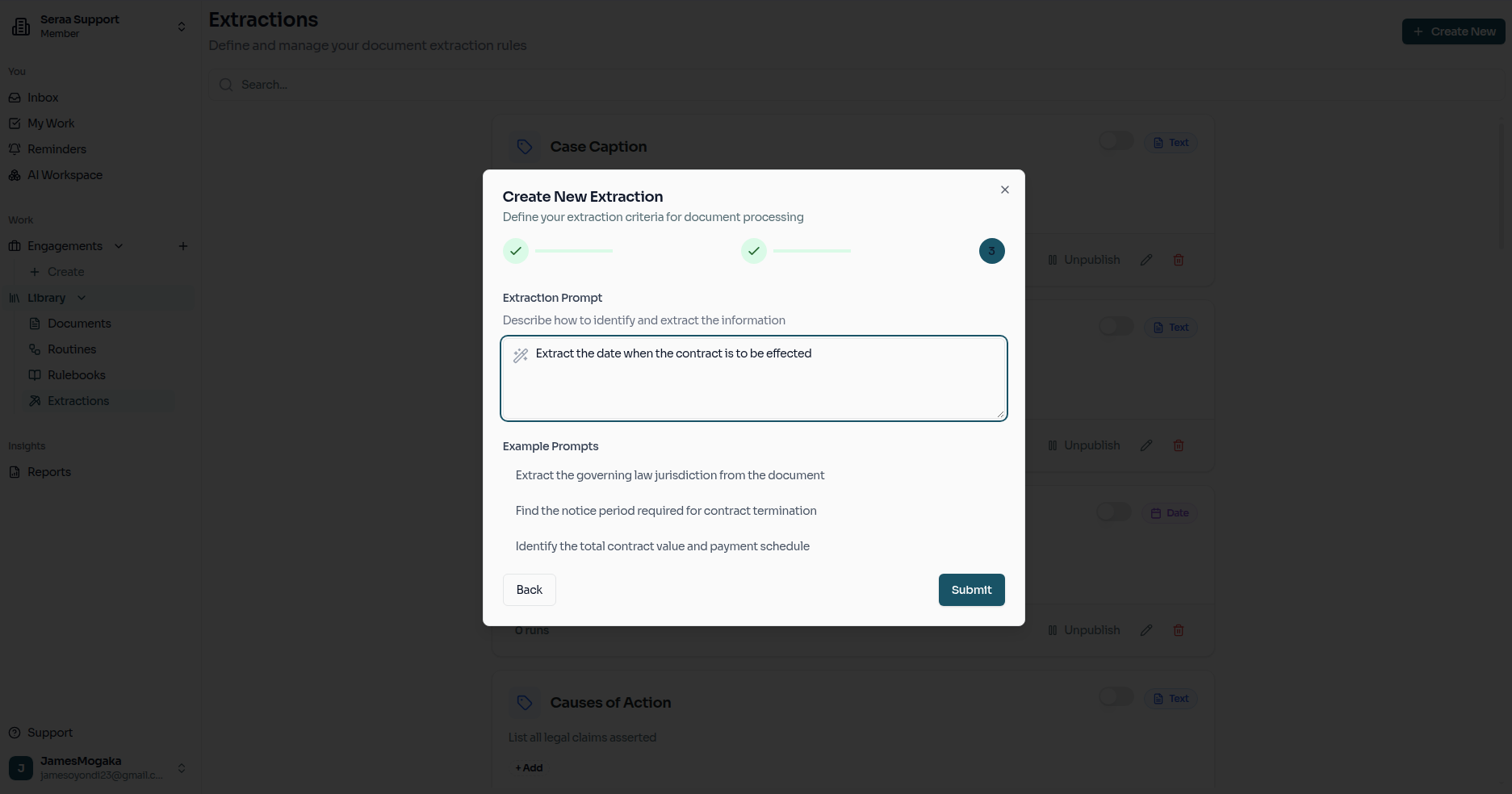
Extractions empower your AI teammate to automatically pull structured information—like specific dates, entity names, or custom legal data—directly from lengthy and complex documents.
Extractions Dashboard
Begin by navigating to the Extractions overview. This is where you manage the library of extractions available across your firm's workspace.
Step 1: Define Your Extractions
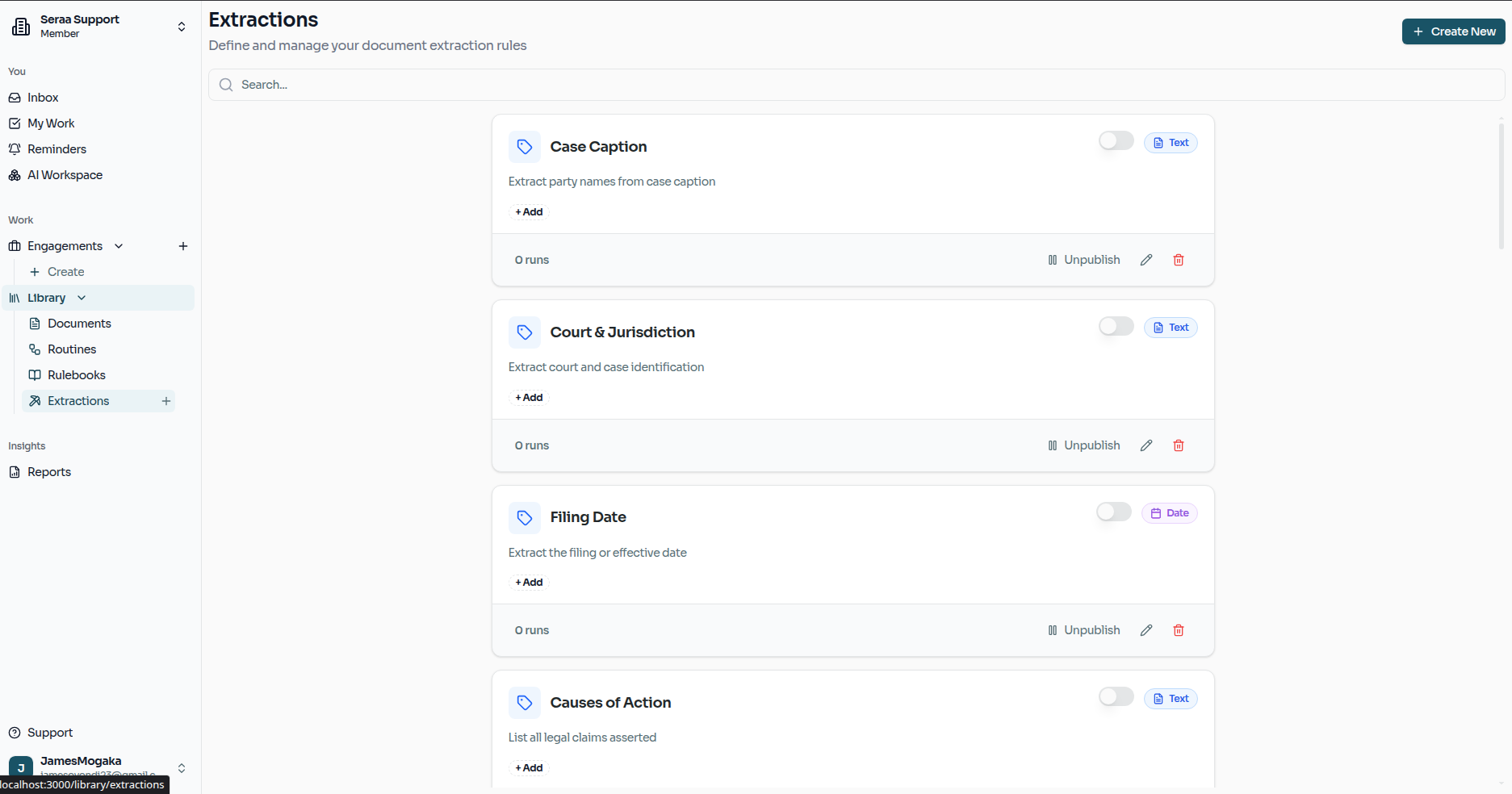
In the first step of the creation wizard, you define each extraction — giving it a name, a question (what you want to find), and a data type (Boolean, Date, Number, or Text). Each extraction represents a single question that will be asked against documents.
Step 2: Categorize the Extraction
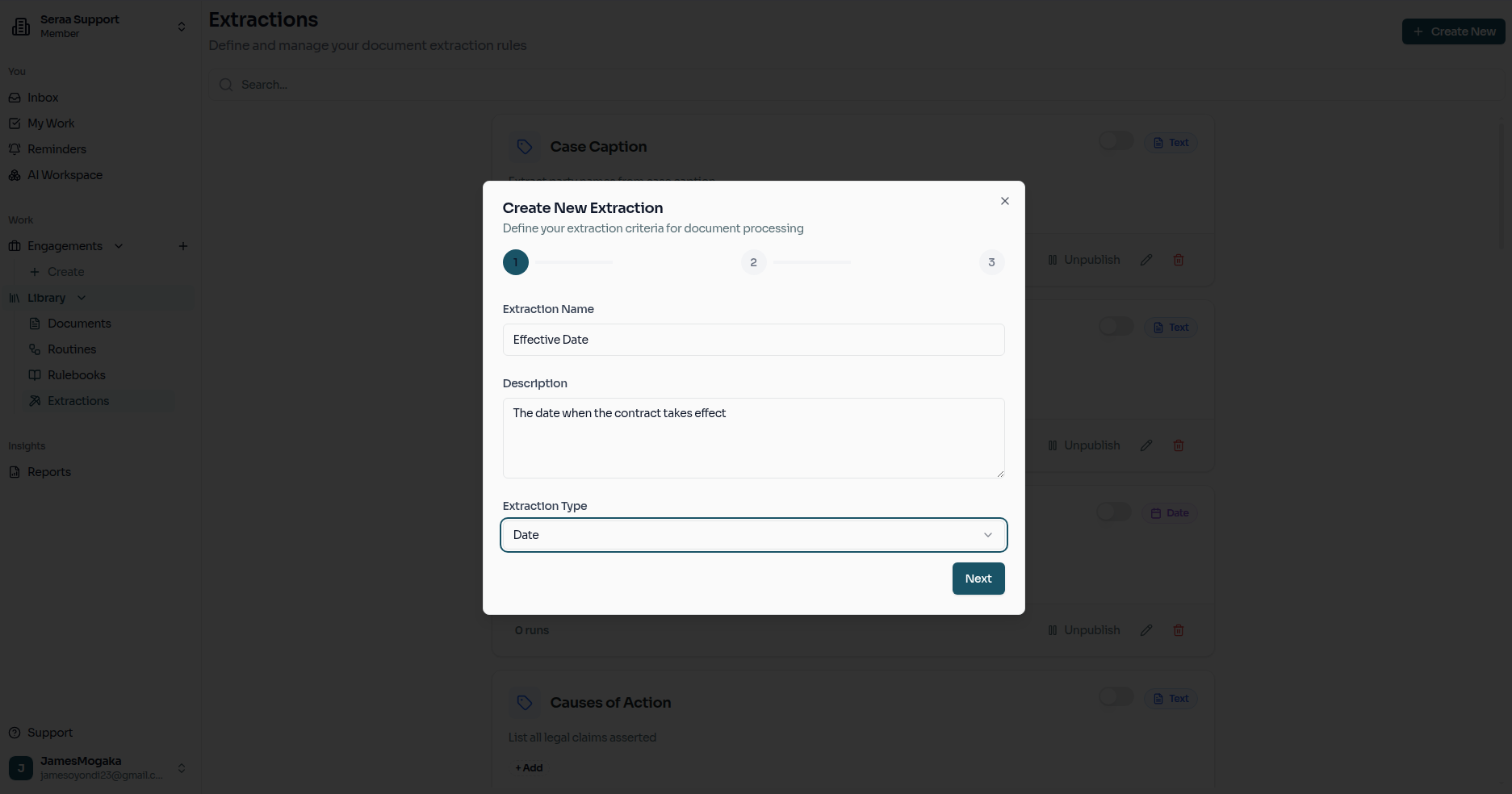
Next, you will associate your extraction model with a specific category. This helps organize your firm's intelligence and ensures that the right tools are easily accessible for the right types of legal matters.
Step 3: Provide Agent Instructions
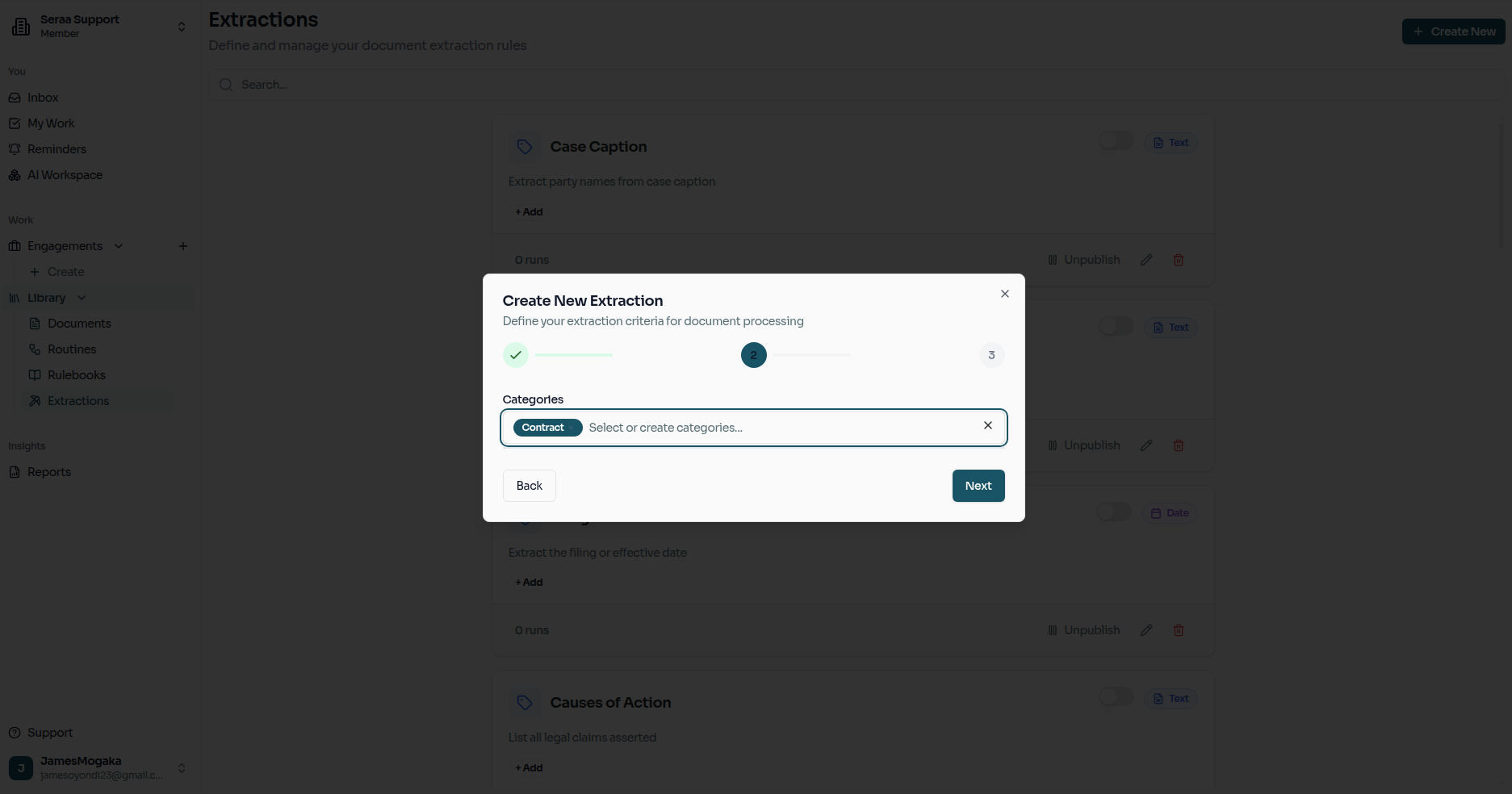
Finally, you will add specific prompts or instructions for your AI Agent. This is where you guide the agent on exactly how to find, interpret, and format the information for each field you defined in Step 1.